Posts

Microsoft: In Hyper-v Snapshots fail to merge with error 0x80070070

Snapshots fail to merge with error 0x80070070 Applies to: Windows Server 2008, Windows Server 2008 R2  Error: Snapshots fail to merge with error Cause: Low disk space.

DELL OpenManage Installation in ESXi Server

Image
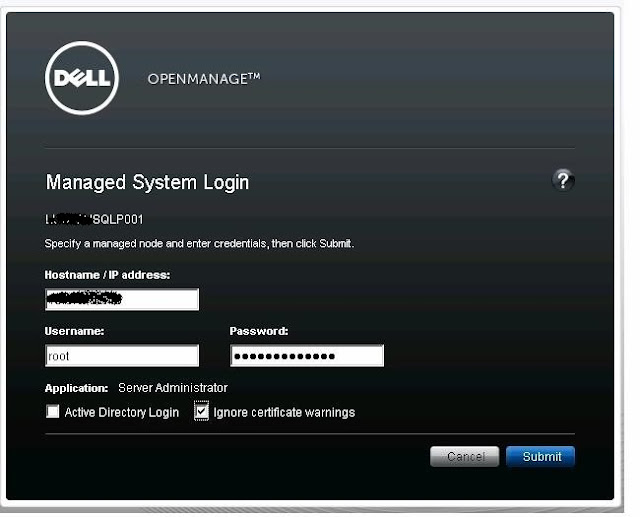
This document provides installation procedure, usage, and support information for Dell OpenManage systems management on VMware ESXi Server software. Download and Install VMware vSphere CLI Download and Install VMware vSphere CLI (VMware-vSphere-CLI-4.0.0-198790) from VMware website ( www.vmware.com ) Download and Install Dell OpenManage Offline Bundle and VIB for ESXi Request you to follow below instructions to install the Dell OpenManage Offline Bundle and VIB for ESXi

VMware: What is vMotion fails at 67% with error ‘The VM failed to resume on the destination during early power on’.

Symptoms: Recently we have been experiencing problems with ESXi 4.1 hosts becoming disconnected from vCenter. Troubleshooting Steps: - vMotion fails at 67%. Error message is ‘The VM failed to resume on the destination during early power on” hostd will post the below events on the destination ESXi host:

Microsoft: Active Directory health/post Checks for Domain Controllers including replication error

We have normal scenario such as DC got crashed or rebooted and many other cause to have  the common steps that we can do health checks on domain controllers.  we normally do AdminPrep which is not a right thing as of now. I”ll post some health check stuff here.  which you guys can go through and come back if what else can be done on this DC if got crashed or rebooted state.

VMware: What if ESXi Hosts Becoming Disconnected from vCenter

Cause: Recently we have been experiencing problems with ESXi 4.1 hosts becoming disconnected from vCenter. Troubleshooting Steps: 1.       Right clicking on the host and selecting Connect does not normally fix the problem. Also logging in directly to the host with the vSphere Client usually does not work, or if it does it disconnects quickly after connecting. 2.      All of the virtual machines running on the host continue to run; however without the host being connected to vCenter or being able to connected directly with the vSphere Client you are unable to manage the virtual machines. Also, connecting to the host with PowerCLI does not work, if it does connect it drops the connection soon afterwards.
How to create a Bootable ESXi Installer using USB Flash Drive

Image
For servers without CD drive or remote KVM you might want to use an USB Flash Drive to install ESXi to the hardware. This post explains how to create a bootable ESXi Installer USB Flash Drive in less than 2 minutes. The Flash Drive will work totally identical to an Installable CD. There are many USB Flash drive bootable software like in microsoft we have windows 7 USB/DVD download tools, here I have took Rufus tool for example. Download  Rufus Download  or  create  an ESXi Image Connect the USB flash drive to your computer Open Rufus Select your Device Select your ISO file Select  MBR partition scheme for BIOS or UEFI computers Press  Start Select  Yes  when it asks to replace menu.c32. Rufus will now create your bootable ESXi Installer USB Flash Drive. This will take about one minute. Additional Hint When you boot a server with this USB Flash Drive the ESXi Installer will copy the whole installer to the memory...

VMware Troubleshooting: VM's grayed out as Disconnected, Inaccessible, Orphaned or Invalid

On daily basis we face lots of connectivity issue on virtual machine and here some troubleshooting hints to find/fix the issue. Disconnected A virtual machine is marked as disconnected when the vCenter has lost communication to the ESXi host where the virtual machine is running. The host is marked as not responding. This state is usually caused by a host that has been crashed. Other reasons could be network issues or problems with the vpxa service running on the host. In this state vSphere HA would usually comes into play and tries to restart the virtual machine on another host in the cluster. Solution You can quickly reproduce that state by stopping vpxa (~ # /etc/init.d/vpxa stop) Inaccessible A virtual machine is marked as inaccessible when the host can no longer access the virtual machine configuration (.vmx) file. Solution That state can be caused by problems with the storage array or a renamed folder in the datastore. When there is no issue wit...